
Data leaders need a scalable solution that provides a single source of truth for Power BI assets, automates classification, and enforces policies without crippling self-service BI. When ownership of Power BI assets is unclear, confidence in the data deteriorates, errors occur, and compliance is jeopardized.
Microsoft Purview can fix this. Microsoft Purview provides three solution pillars: Data Governance, Data Security, and Data Compliance to help organizations manage their data. By integrating Power BI into Purview, organizations effectively bring self-service BI under the same governance umbrella as other data sources. Purview is a unified data governance platform that helps organize and protect data. In the next sections, we’ll explain what Purview is and which Purview features apply to Power BI, so you can bring order to your self-service BI.
What Is Microsoft Purview?
Microsoft Purview is a suite of data governance, security, and compliance tools. In simple terms, Purview helps you scan, catalog, classify, and protect your data across the organization.
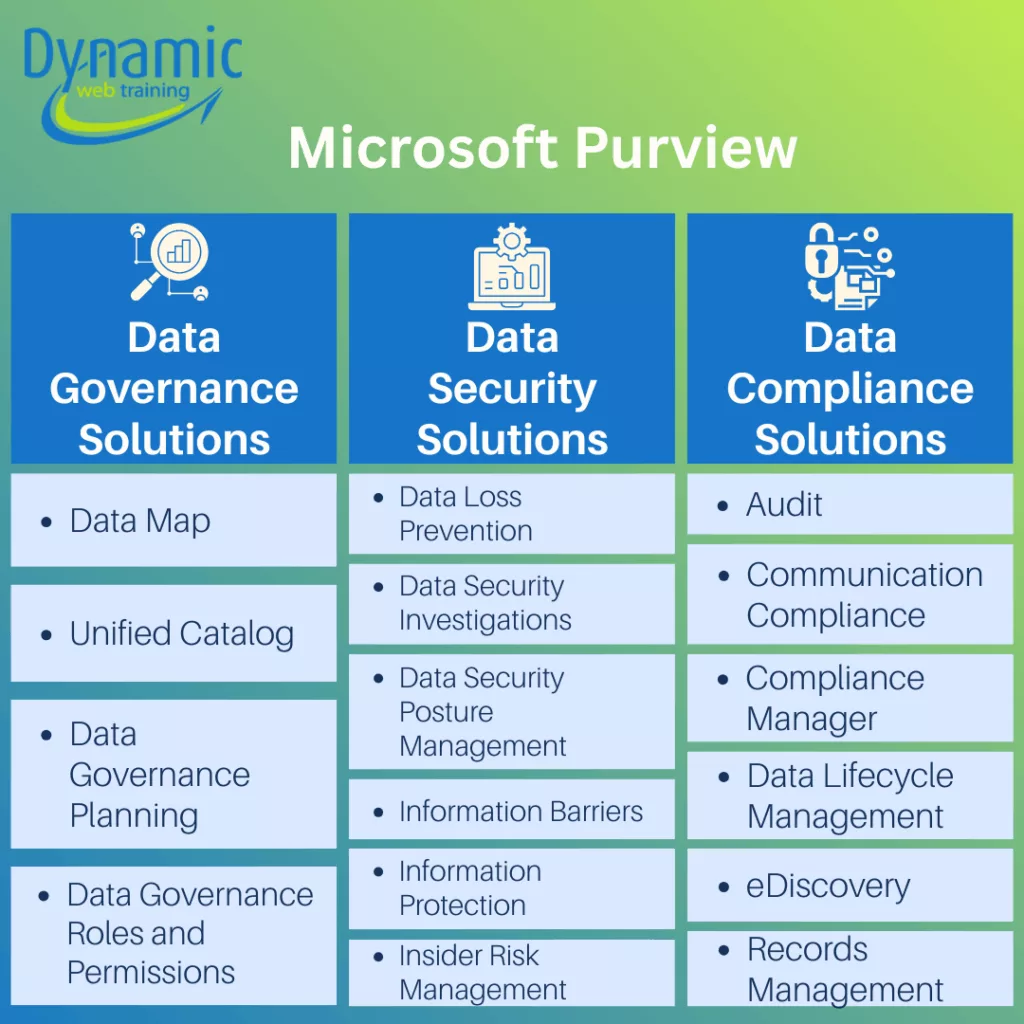
Figure 1: Explore Microsoft Purview’s solution areas across governance, security, and compliance, and understand which tools help you catalog, protect, and regulate your data estate.
Purview’s Data Governance (formerly Azure Purview) has two main parts: The Purview Data Map and the Purview Unified Catalog. The Unified Catalog provides a central, searchable inventory of data assets across your organization, while the Data Map automatically scans and classifies metadata from connected systems. In the area of Data Security Solutions, Finally, Risk and Compliance Solutions suite support organizations with regulatory, legal, and retention obligations.
Purview also supports Power BI and Microsoft Fabric metadata. After you connect Purview to your Power BI tenant, it can scan your workspaces and pull in all your Power BI reports, dashboards, datasets, and dataflows. In the next section, we’ll focus on the specific Purview features that help govern Power BI content.
What Actually Applies to Power BI?
Purview’s Data Governance pillar lets you discover and catalog all Power BI assets in one place. The Data Map registers and scans your Power BI environment (workspaces, reports, datasets, etc.) to build a complete data inventory. This creates an up-to-date map of your BI estate, including built-in data classifications and lineage. The Unified Catalog then lets users search, browse, and curate those assets. Users can tag assets with business-friendly metadata (name, description, glossary terms) and see “contacts owner” fields for each item. Here are the three Purview tools that matter for governing Power BI:
- Unified Catalog & Data Map: Purview’s Data Map is continually scanning Power BI so that the catalog stays current. This prevents “shadow IT” by making it easy to discover existing assets instead of creating duplicates.
- Data Ownership: Power BI has built-in “owner” fields for dashboards, datasets, etc., and Purview surfaces as the Contacts Owner metadata.
- Lineage Tracking: Purview automatically captures end-to-end lineage among Power BI artifacts (Dataflow → Dataset → Report → Dashboard) and any upstream data sources. In practice, after scanning, you can click on a report in the catalog and see its full lineage graph. Conversely, data owners see downstream impact: if an owner plans to alter a dataset, they can view which reports or dashboards depend on it, so they know the scope of any change.
Together, these governance features create a single source of truth for Power BI content. All reports, dashboards, and datasets become searchable and understandable. This brings order to a sprawling BI environment and lets the business maximize the value of its data.
The Data Security pillar of Purview adds information protection and data loss prevention for Power BI content. These features let you classify and control sensitive data in reports and prevent accidental leaks outside the organization.
- Sensitivity Labels (Information Protection): Purview Information Protection lets you create sensitivity labels (e.g. Public, Confidential, Highly Confidential) and apply them to Power BI artifacts (datasets, reports, dashboards, dataflows). Critically, when labeled data leaves Power BI (for example, when a report is exported to Excel, PowerPoint, PDF, or downloaded as a. pbix file), the label (and its encryption settings) automatically attaches to that file. This means even an exported summary retains its protection: only authorized users within your organization can open a “Confidential”. pbix file. Purview also provides admin dashboards (protection metrics, audit logs) so you can see which Power BI items have sensitive labels and who’s accessing them.
- Data Loss Prevention (DLP): Purview DLP policies monitor Power BI for sensitive information and block or flag risky activity. You define DLP rules in the Purview compliance portal. When a user publishes or refreshes a Power BI dataset, Purview scans the model. If a rule matches, Purview can attach a policy tip to the content and alert admins. Business stakeholders benefit because DLP provides an automated safety net: it enforces your data policies (preventing sensitive data exfiltration) without relying on users to remember the rules.
Together, these security controls ensure that once Power BI data is cataloged, it’s also protected. Labels and DLP help answer compliance requirements (like GDPR/HIPAA) by keeping an eye on private or regulated data in your reports.
Getting Started with Purview for Power BI Governance
To roll out governance effectively, follow these steps:
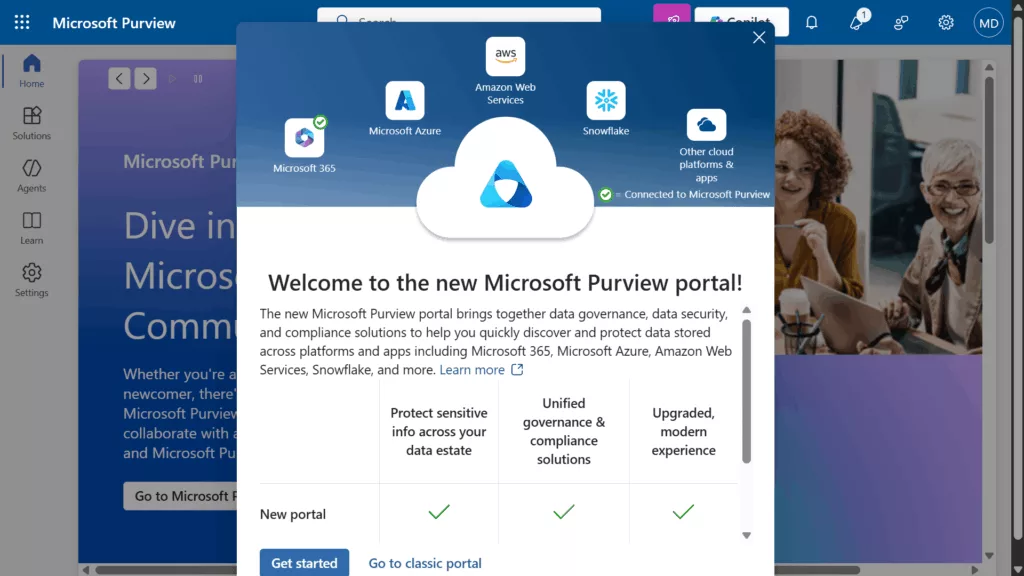
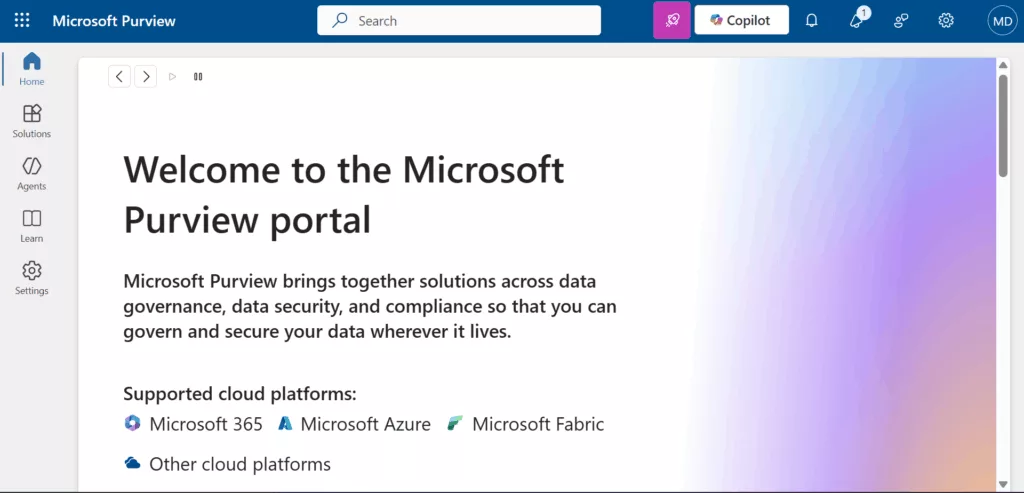
Step 1: Access the New Purview Portal
1. Go to https://purview.microsoft.com.
2. In the sidebar, click Solutions → choose Data Catalog.
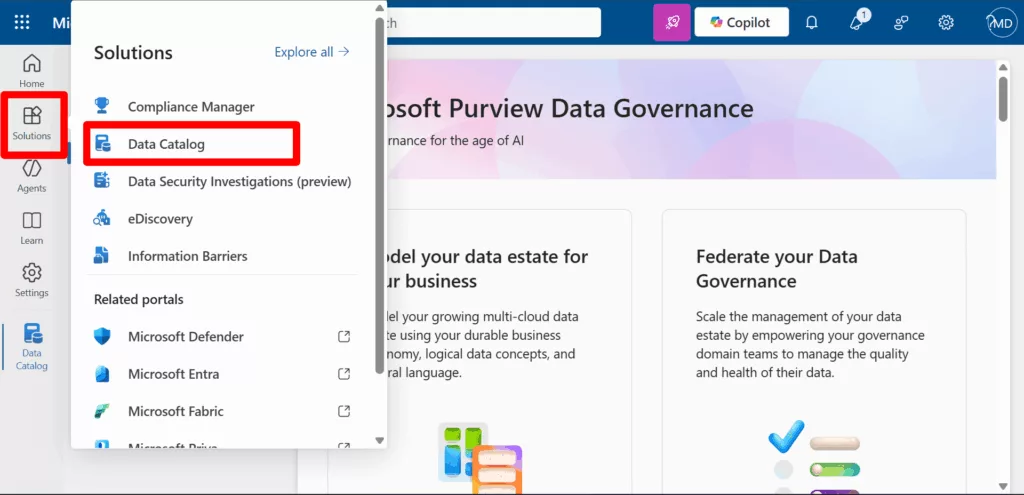
From there, just walk through these steps:
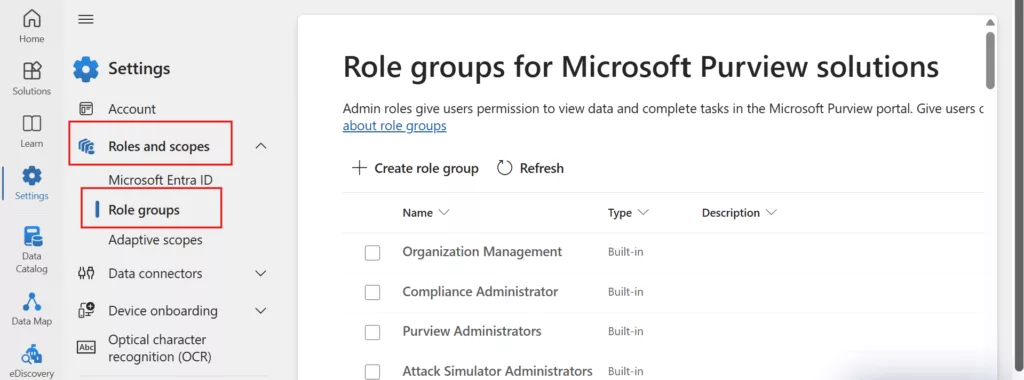
Step 2: Set Up Roles and Permissions
3. Assign catalog roles like reader, curator, or admin.
Step 2: Set Up Governance Domains
4. Create glossary terms and define domains for business areas like Sales, Finance, and HR.

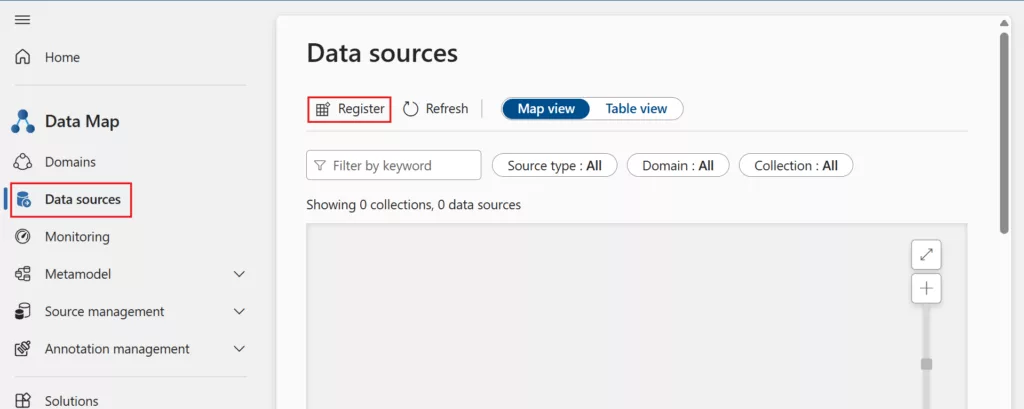
Step 4: Register Your Data
5. Register Power BI and scan them to populate the catalog.
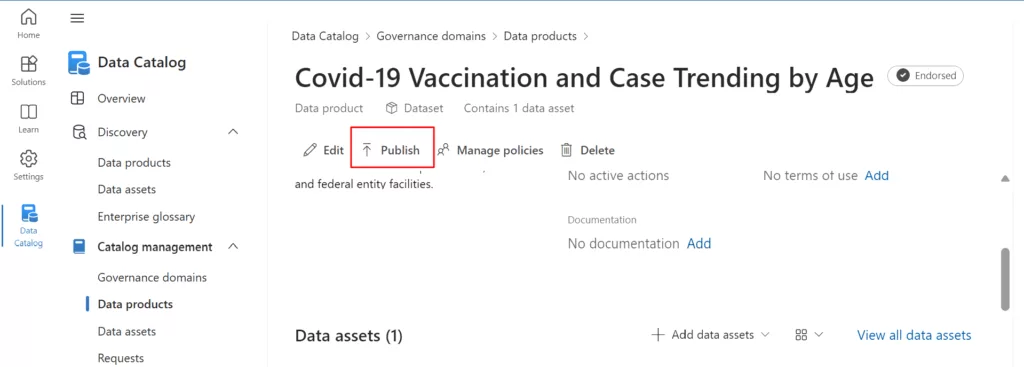
Step 5: Publish Data Products
6. Build reusable, governed data products; this step is ideal if you want to start building a data mesh.
Step 6: Apply Sensitivity Labels
7. Define Purview sensitivity labels that match your data policies (e.g. Confidential, Public). Train your Power BI authors to label reports and datasets as they’re published. The labels will automatically flow through exports, giving end-to-end protection.
Step 7: Configure DLP Policies
8. In the Purview compliance portal, create Data Loss Prevention rules for your Power BI environment. For instance, block or alert content with credit card numbers, personal data, or other regulated information. This will catch inadvertent data leaks at publishing/refresh time.
By starting with scanning and cataloging, and then layering on owners, labels, and policies, you establish a strong governance foundation. Over time, you can refine the catalog, add more detailed tags or glossary terms, and adjust policies as needed.
Purview’s integrated approach ensures that your organization’s valuable reporting data is both easy to find and hard to lose or misuse, which is exactly what good governance should do.
Conclusion
Data governance isn’t a one-time project; it’s a journey. But with Microsoft Purview plugged into Power BI, you’ll have clear sight over your analytics estate. You’ll know exactly what reports exist, who owns them, and what data they use, and you’ll be confident that your sensitive information is labeled and watched.
