Full star Half star Star PDF

Camtasia Training Courses

Instructor-led Camtasia training for beginners, delivered by certified industry experts. Learn to record on-screen activity and build effective multimedia presentations, adding callouts, animations, transitions, audio narration and quizzes, then share high quality HD videos to the web, YouTube or your learning platform. Online Live Australia wide, with in-house classroom training available for teams.
4.73 / 5 from 79 student reviews Training Australia since 2000
Camtasia Courses & Class Dates

Pick your course, location and date

Choose your location, then a course level, to see upcoming classroom and Online Live dates. Every class includes unlimited free course repeats for 8 months and 12 months of email support. Not sure where to start? Ask us and we will place you at the right level.

Beginner ยท 1 Day

Camtasia Studio 8: The Essentials

4.73 79 Reviews

With Camtasia Studio you can build effective multimedia presentations to include screen-captured software based tutorials, demonstrations and lectures.

View Full Course Details
$495 incl GST per person
  • Duration1 Day
  • CPD Hours6 hours
  • Max class size10 students
  • Avg class size5 students
  • Course times 9.00am to 5.00pm approx. Classroom (local time) or Online Live (AEST/AEDT)

Book now, pay later: no payment is required when you book.

Upcoming dates

$495
December 2026
15
Dec
Tue ยท Camtasia Studio 8: The Essentials
Online Live ยท Instructor-led
February 2027
10
Feb
Wed ยท Camtasia Studio 8: The Essentials
Online Live ยท Instructor-led
April 2027
09
Apr
Fri ยท Camtasia Studio 8: The Essentials
Online Live ยท Instructor-led
May 2027
31
May
Mon ยท Camtasia Studio 8: The Essentials
Online Live ยท Instructor-led
July 2027
30
Jul
Fri ยท Camtasia Studio 8: The Essentials
Online Live ยท Instructor-led
September 2027
22
Sep
Wed ยท Camtasia Studio 8: The Essentials
Online Live ยท Instructor-led
No dates match your selected filter

Looking for Camtasia Studio 8: The Essentials dates?

There are currently no scheduled dates matching your selected filter, but we'd love to assist. Get in touch with our team to discuss your individual training needs or corporate group requirements, and we'll explore available options with you.
The best Camtasia training

Learn to build effective multimedia presentations to include screen-captured software based tutorials, demonstrations, and lectures using Camtasia Studio 8.

Our Camtasia courses are offered at Sydney, Melbourne, Brisbane, Adelaide, Perth, Canberra and In-house across Australia.

Why Camtasia?

Camtasia is a powerful screen recording and video editing software. It is one of the most popular software used to produce video based eLearning courses. It gives you the tools you need to truly customize and edit your videos. Record on-screen activity, add imported media, create interactive content, and share high-quality, HD videos that your viewers can watch anytime, on nearly any device.

Included with every class

Course inclusions

8 months

Unlimited free course repeats

Repeat your course free, as often as you like, for up to 8 months; a great way to build your Camtasia skills over time.

12 months

Free email support

Email support for up to 12 months after the course to maximise your learning potential.

10 max

Small class sizes

A personalised learning experience for every student.

Instructor led

Hands-on Online Live or in-house classroom training by certified Camtasia trainers.

Course manual

Step-by-step course manual; an excellent reference guide well after class ends.

Computer provided

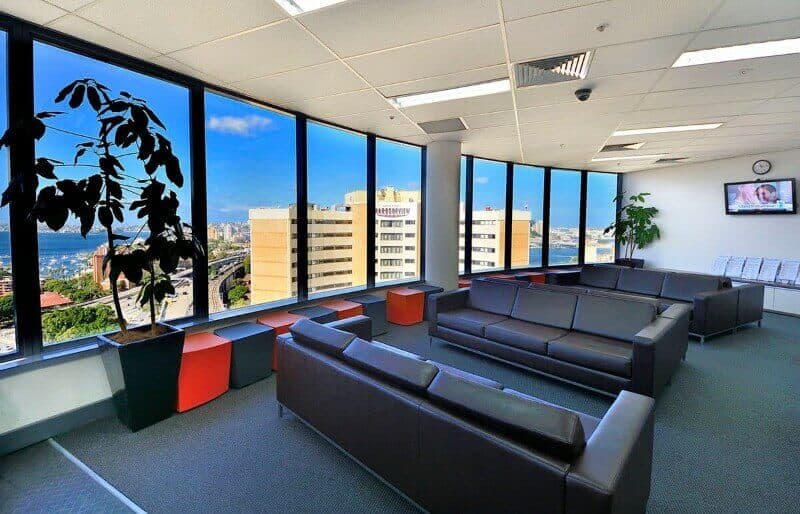
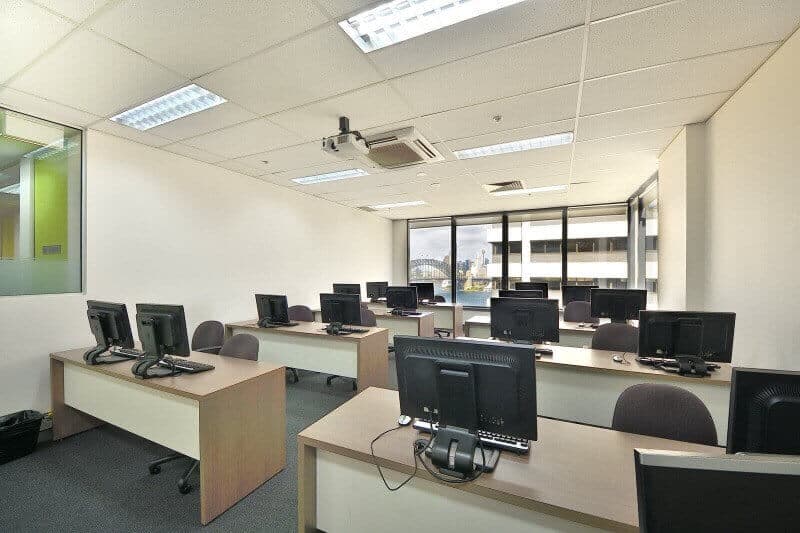
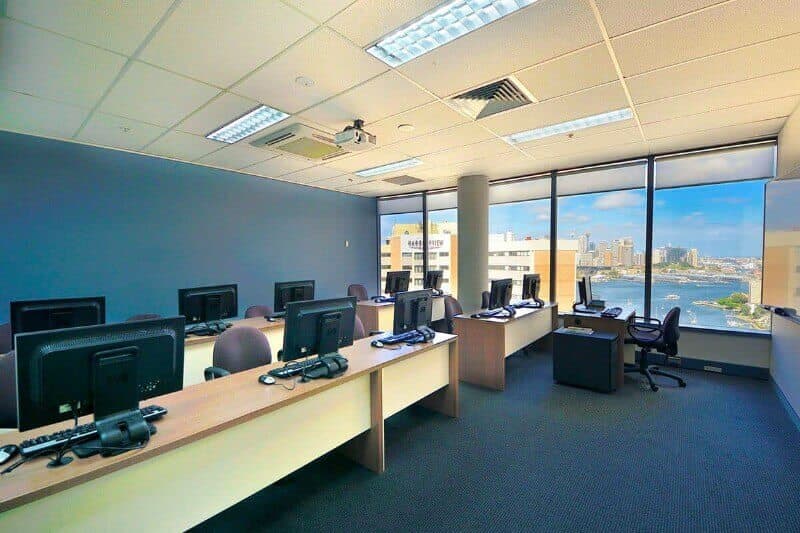
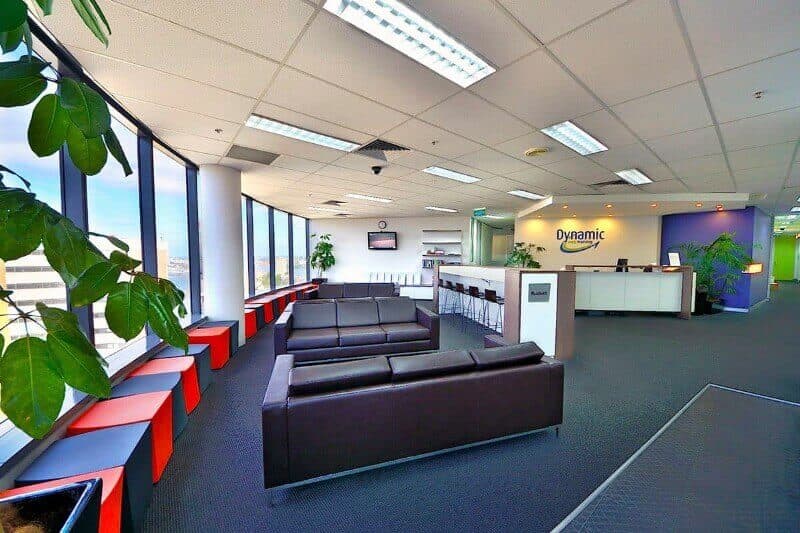
Classes run in fully set-up computer labs. No need to bring your own laptop.

Course certificate

Certificate of course completion to recognise your Camtasia skills and CPD hours.

Why learn Camtasia?

Camtasia is a powerful screen recording and video editing tool, and one of the most popular ways to produce video based eLearning: record on-screen activity, add imported media, create interactive content, then share high quality HD videos your viewers can watch anytime, on nearly any device.

Start Learning
Student Testimonials

What our Camtasia students say

(5.0)
01 September, 2025
Camtasia Studio 8: The Essentials Online Live

This course has fully met my expectations. Being the only student was a luxury and allowed me to ask more specific questions of John related to my work. No question of mine was too much and I received a contextual and detailed response.

Trevor C
(4.7)
26 March, 2025
Camtasia Studio 8: The Essentials Online Live

I have none at this stage, a lot was covered for different levels and the key processes were covered.

Tara P
(4.7)
14 April, 2022
Camtasia Studio 8: The Essentials Online Live

Great to have an intimate group which enabled us to focus on specific things we wanted to explore further.

Jodie B
(4.8)
12 September, 2019
Camtasia Studio 8: The Essentials Sydney

Great course and great presenter. I was able to get a lot out of Antony that i can take back to the workplace. Well laid out training and easy to follow.

Andrew G
(5.0)
06 August, 2019
Camtasia Studio 8: The Essentials Sydney

Anthony went way above and beyond what I expected. Being the only student he was able to contextualise learning to my needs which he did brilliantly. Thank you!

Katrina O
(4.9)
01 July, 2019
Camtasia Studio 8: The Essentials Melbourne

Good course, learnt the basics. We had a lot of advanced users in the group which made it a bit more difficult to follow at times

Tia W
(5.0)
20 November, 2018
Camtasia Studio 8: The Essentials Melbourne

This was great to be able to complete this course by myself as the one on one training using my own program was really beneficial! I have my training video saved on my own computer which will make easy reference.

Asha S
(5.0)
01 August, 2018
Camtasia Studio 8: The Essentials Melbourne

John Ryan is an excellent teacher. Really enjoyed the training session.It has taught me alot more about using the Camtasia software.

Denise J
(5.0)
09 April, 2018
Camtasia Studio 8: The Essentials Brisbane

really enjoyed the course. Antony built the course up to keep it progressing and entertaining allday

Wendy W
(5.0)
06 November, 2017
Camtasia Studio 8: The Essentials Sydney

Well paced, great information, small session was helpful. Anthony has fantastic knowledge of material and dealt to the pace in the room.

Kellie D
(4.8)
29 March, 2017
Camtasia Studio 8: The Essentials Sydney

Great course, good examples provided which will help me in my job. A lot of content covered in just a day...well worth doing this course.

Debbie S
(4.9)
06 February, 2017
Camtasia Studio 8: The Essentials Sydney

A helpful course that provided technical knowledge and application to real life. Enough time for practice.

Brad S
(5.0)
06 February, 2017
Camtasia Studio 8: The Essentials Sydney

Great course - all hands on. Excellent instructor. Comfortable open learning environment. Small class size allowed for greater learning opportunity.

Audra M
(5.0)
13 December, 2016
Camtasia Studio 8: The Essentials Sydney

Great, this will be very useful for mainly inhouse training but probably social media too in future.

Veronica K
(4.9)
23 August, 2016
Camtasia Studio 8: The Essentials Sydney

Great course - very easy to understand, well paced with client focused activities. Tailored to individual learning outcomes.

Cas C
(4.8)
20 November, 2015
Camtasia Studio 8: The Essentials Melbourne

John was fantastic and i have learned a lot to immediately use at work next week. I am glad this course was run.

Priscilla
(4.2)
20 November, 2015
Camtasia Studio 8: The Essentials Melbourne

The course was well balanced with practical examples - the instructor was engaging. A lot to take in for first time users.

Rowena M
(4.0)
13 November, 2015
Camtasia Studio 8: The Essentials Sydney

This course was clear, concise, and useful. Antony's approach to the material was personable and matter-of-fact. I feel much more confident using Camtasia.

Elizabeth S
(5.0)
28 January, 2014
Camtasia Studio 8: The Essentials Melbourne

Great course. Highly recommend people do this course instead of trying to figure out Camtasia themselves. A complex tool made easy. Thank you!

Jason H
(4.5)
28 January, 2014
Camtasia Studio 8: The Essentials Melbourne

I did not know a great deal about Camtasia to start with, but as the course progressed I found so much more in this course than first glance. So much was taught by John, and he also discussed how to implement transform learning to imoprove learning outcomes across different types of learners.

Philip W
Read all course reviews
Common Questions

Frequently asked questions

Is the Camtasia course suitable for beginners?

Yes. Camtasia Studio 8: The Essentials is a Beginner level course with no prerequisites, designed for anyone who wants to create high quality interactive video content suitable for almost any device.

How much does Camtasia training cost in Australia?

Camtasia Studio 8: The Essentials is $495 incl GST (1 day). The course includes unlimited free course repeats for 8 months, 12 months of email support, a course manual and a certificate of completion.

What are the prerequisites for the Camtasia course?

There are no prerequisites for this Camtasia course; however students should have a general understanding of personal computers.

How long does the Camtasia course last?

Camtasia Studio 8: The Essentials runs for 1 day, from 9.00am to 5.00pm approximately, delivered Online Live (AEST or AEDT).

What will I learn in Camtasia Studio 8: The Essentials?

You will learn to plan eLearning projects and record on-screen activity, then edit your footage on the timeline: importing videos and images, adding callouts, animations and transitions, recording voice narration and background music, and applying zoom, pan and SmartFocus effects. You will also create quizzes, record PowerPoint presentations, and produce and share your finished videos to the web, YouTube or Screencast.com.

Which version of Camtasia does the course cover?

The course is taught using Camtasia Studio 8. The core recording, editing and sharing workflow carries over to current Camtasia releases, and our trainers can tailor delivery to the version your team uses: enquire about in-house training if you are on a newer release.

Who should do the Camtasia course?

The course suits trainers, educators, instructional designers, marketers and anyone who needs to create software tutorials, product demonstrations, lectures or video based eLearning without prior video editing experience.

Do I get a certificate after completing the Camtasia course?

Yes, all students receive a certificate of course completion after successfully finishing their Camtasia course, recognising your Camtasia skills.

Does the Camtasia course count towards CPD?

Yes. Camtasia Studio 8: The Essentials carries 6 CPD hours.

Can I attend Camtasia training online, and what setup do I need?

Yes. Online Live classes are delivered live by our trainers via videoconference, Australia wide, running 9.00am to 5.00pm AEST or AEDT. You will need a Windows or Mac PC or laptop with a second screen or monitor, a broadband internet connection, the Microsoft Teams app installed, and a headphone or earbuds with a microphone. Camtasia must be installed prior to training; set-up instructions are sent one week before your course commencement date, and the course invite email with joining links and training files is sent two business days before the course.

Should I learn Camtasia or Adobe Captivate for eLearning?

They solve different problems. Camtasia is a screen recorder and video editor, ideal for video based lessons, software tutorials and demonstrations. Adobe Captivate builds interactive simulations, branching scenarios and quizzed SCORM modules for an LMS. Many training teams use both: Camtasia for video content and Captivate for interactive eLearning.

How can I book my free repeat Camtasia class?

Dynamic Web Training offers free and unlimited repeat classes for up to 8 months from your original course dates. To book a repeat Camtasia class, call us at 1300 888 724 two business days before your preferred course date. Bookings are subject to course confirmation and seat availability; please quote your invoice number when booking.

Contact Us

Enquire now

Fill in your details to have a training consultant contact you to discuss your training needs. We offer public, on-site and workplace IT and software training services across Australia. Complete the form or call us during business hours (8.30am to 5pm AEST/AEDT) and our friendly customer service team will respond within 1 business day.

Contact us

Level 11, 32 Walker Street, North Sydney NSW 2060
8.30am to 5pm AEST/AEDT, Monday to Friday

1300 888 724 info@dynamicwebtraining.com.au ยทEnquire online

Fields marked with * are required. We respond within 1 business day.

Our Training Locations

Train in-class or Online Live, Australia wide

Classroom + Online Live

Sydney

Level 11, 32 Walker Street, North Sydney NSW 2060

Classroom + Online Live

Melbourne

Level 12, 379 Collins Street, Melbourne VIC 3000

Online Live

Brisbane

All courses facilitated in Online Live format or In-house workplace training, QLD

Online Live

Canberra

All courses facilitated in Online Live format or In-house workplace training, ACT

Online Live

Adelaide

All courses facilitated in Online Live format or In-house workplace training, SA

Online Live

Perth

All courses facilitated in Online Live format or In-house workplace training, WA